Moosky AI field guide
How to Make Kids YouTube Videos with AI: A Family-Safe Workflow for Parents and Educators
Make kid-safe YouTube videos with AI using Project Director: original characters, a vetted style lock, script approval, honest credit costs, and one bedtime story turned into three clips.
On this page
How to Make Kids YouTube Videos with AI: A Family-Safe Workflow for Parents and Educators
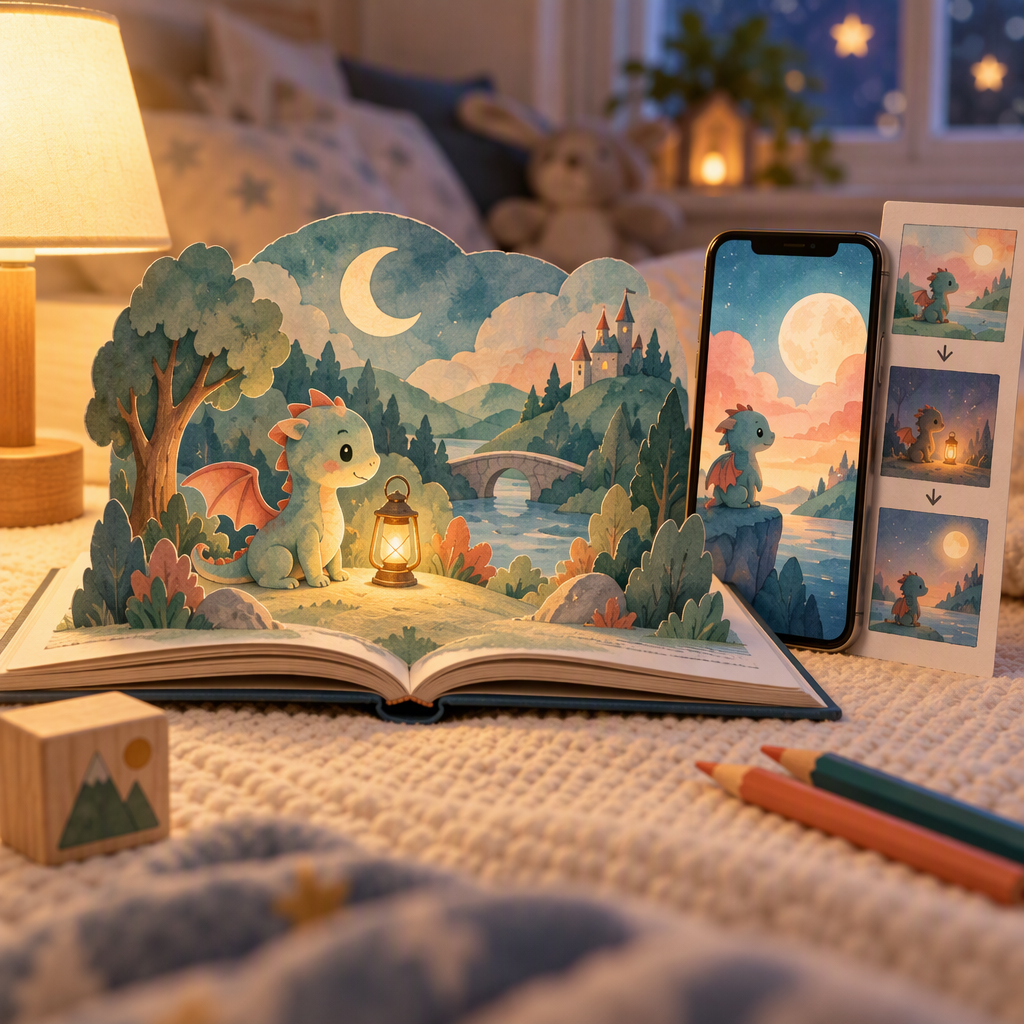
The story usually arrives at breakfast. Your daughter invents a tiny dragon who is scared of the dark, and the car ride to school is spent deciding what the dragon does next. By bedtime you would like that dragon to exist, properly animated, narrated, watchable on the living-room TV. Five years ago that required a studio. Today it requires a parent at a keyboard, an afternoon, and a workflow that keeps the whole project as gentle as the story itself.
This guide walks the whole loop: who should actually run the tool, what "kid-safe" means in concrete product terms, how the Project Director pipeline turns one bedtime story into three finished clips, and what it honestly costs in credits. It is the companion piece to our kids videos YouTube page; that page shows what the tool makes, this one is how to run the production without anything you would regret.
The adult runs the machine
Start with the rule that decides the rest: this is a tool for the grown-up in the room. Children supply the imagination; parents and educators supply the judgment. Nobody under eighteen needs an account, a prompt box, or a credit card. You write the brief, you read and approve the script before a single frame renders, you watch the finished cut before it goes near an upload button, and you decide what the channel does next.
That division of labor is not a legal disclaimer, it is the actual design. A prompt box is not a toy. The value of an AI pipeline for a family project is not that a child can press a button, it is that an adult can produce something worth pressing the button for. If your workflow ever inverts that, stop and fix the workflow, not the output.
What "family-safe" means when you can check it
Marketing pages say safe. Here is what you can actually inspect in this workflow, and what you should insist on:
- Original characters only. The presets lean storybook: soft shapes, warm light, friendly faces. Rebuilding Elsa, Bluey, or the Paw Patrol is off the brief on purpose: those characters belong to their studios, and an AI copy of them on a public channel invites takedowns and strikes even when a homemade video means well. Originals also mean your channel's characters, thumbnails, and any future monetization stay yours.
- A vetted style lock. Pick one approved look, watercolor, claymation, storybook flat, or upload a single friendly keyframe, and every scene renders against it. A shot that drifts eerie or uncanny gets flagged against the locked reference and re-taken before export, not discovered after upload.
- Script approval as a gate. The agent drafts the arc, the narration script comes from that draft, and nothing expensive runs until you approve the words in chat. This is where you keep the scary parts gentle and the jokes age-appropriate, and it is the cheapest place in the pipeline to catch a bad idea.
- Supervision by default. The tool bills to your credits, lives in your account, and exports files you hold. Nothing posts anywhere on its own.
One honest limit: no creation tool can make your YouTube upload compliant. The made-for-kids flag in YouTube Studio, and everything it changes about comments and ads, is the uploader's call to make honestly. What Moosky controls is the file itself, watermark-free MP4, wide and vertical cuts, nothing embedded that claims affiliation with a franchise.
The bedtime-story run, in four moves
Here is the whole loop for one short, with what each move actually does.
- Tell the story. Open a Project Director chat (the story playbook opens it pre-loaded from the kids page) and type the premise the way you told it at breakfast, plus the age band and the mood: "tiny dragon scared of the dark, finds a night-light firefly, cozy, ages 4-7." The agent writes the arc: hook, small problem, kind resolution, and a script you read like a picture book.
- Lock the look. Choose a vetted preset or attach one keyframe (your child's own drawing works: the Director animates the world around the linework while holding it as the reference). The lock carries into every scene, so three clips can share one world.
- Draft cheap, render the survivors. Every beat gets a low-tier pass first. On LTX 2.5 a five-second draft with native audio is quoted at 80 credits, and Wan 3.0 drafts from 49 at the floor tier. Nothing is charged until the agent plans or a scene actually generates, and failed renders refund automatically, so a wobbly attempt does not cost you twice. Only the takes you keep get the hero render.
- Narration and captions ride along. A warm read-aloud voice records over the approved script in the same run, with timed captions, so the story works at bedtime with the sound low and for children still learning the words.
One story, three clips: the actual payoff
The efficiency that makes a family channel possible is reuse. From the dragon short above you leave the same sitting with three deliverables, all built against the one style lock and the one narrator:
- The bedtime short, wide 16:9 for the living-room screen, six to eight scenes, roughly two minutes with the read-aloud track.
- The birthday-invite variant. Keep the character and the style, swap the story: the dragon carries the name, the age, the party time. Same style keyframe, new 30-second script, texted to the whole class instead of another paper flyer.
- A vertical cut for Shorts, the single best scene reframed for the phone feed, captions moved into the safe zone, uploaded as the channel's front door.
Because episode two renders against the same references, it matches episode one frame for frame. That continuity is what makes a handful of homemade clips read as a little series instead of a clip dump, and it is the difference between a channel that looks made by one hand and one that looks stitched.
What it costs, honestly
Moosky runs on a prepaid credit balance, 100 credits to the dollar, no subscription: a rainy weekend when nobody generates costs nothing. Figures below come from the same pricing code the composer quotes from; check the quote on screen before you press generate, because it is the authority.
A six-scene bedtime short, every beat drafted once at the LTX floor tier (about 80 credits for five seconds) plus hero renders on the three or four beats that survive, lands in the low thousands of credits. Call it a few dollars to twenty once scene count and re-takes settle. The birthday variant is cheaper because the style work is done; the vertical cut is a reframe, not a re-render. For scale: a five-minute cartoon pitched to a classroom, a dozen or so scenes with narration, is a lunch-out number, not a studio number. If you want the full reroll arithmetic across engines before committing, the cost-per-usable-clip guide shows the math.
The habit that keeps these numbers small is the same one from step three: draft cheap, spend the premium pass only on the take you keep. Parents who do that find the projects multiply; parents who hero-render first principles find the credits evaporate.
Before the first upload, a checklist
Five minutes of review beats any preset. Before a kids short leaves your machine:
- Watch the full cut yourself. Motion can be uncanny in ways a still frame never shows.
- Read the captions aloud: mispronounced names and garbled words are what children notice first.
- Check for accidental lookalikes, a character that has drifted toward a known franchise, a background object that carries a logo shape.
- Set the made-for-kids option in YouTube Studio yourself, and keep the family email on the channel so account questions reach an adult.
- Name the episode like a picture book ("The Dragon and the Night Light"), not like a growth hack. A kids channel earns trust the slow way.
The first project picks itself: tonight's story, three clips by Sunday. Start the run at moosky.ai/start, brief it like you told it, and approve every word before a credit moves. Brazilian household? The same workflow, rewritten for it, lives in the PT-BR sibling guide, Como fazer vídeos infantis para o YouTube com IA. ¿Familia hispanohablante? The same workflow, rewritten for it, lives in the Spanish sibling guide, Cómo hacer videos infantiles para YouTube con IA.
Create with Moosky AI
Turn ideas into finished productions
Access leading AI models and production workflows from one workspace.
Try Moosky AIComments
Comments are reviewed before they appear publicly.
Join the discussion — sign in or create an account to leave a comment.
No approved comments yet. Start the conversation.