Kid-safe cartoons for YouTube, built in one sitting
Kids videos YouTube would actually watch.
Describe the story your child made up at breakfast. Project Director scripts it, locks one friendly cartoon style across every scene, and assembles a finished animated short - original characters, vetted presets, no studio skills. The birthday invite, the bedtime story, your family channel's next episode.
AI Project Director
Plans the whole short
Kid-safe style lock
Vetted storybook presets only
A story, not a clip
Beginning, turn, payoff
Read-aloud narration
Captions in the same run
Pay per short
Credits, no subscription
Model Overview
Story playbook + kid-safe style lock
Most families skip making kids' videos because real animation costs money and most AI tools are not a place you'd want a child's content made. Project Director runs the other way around.
Open the story playbookSafe-looking by design
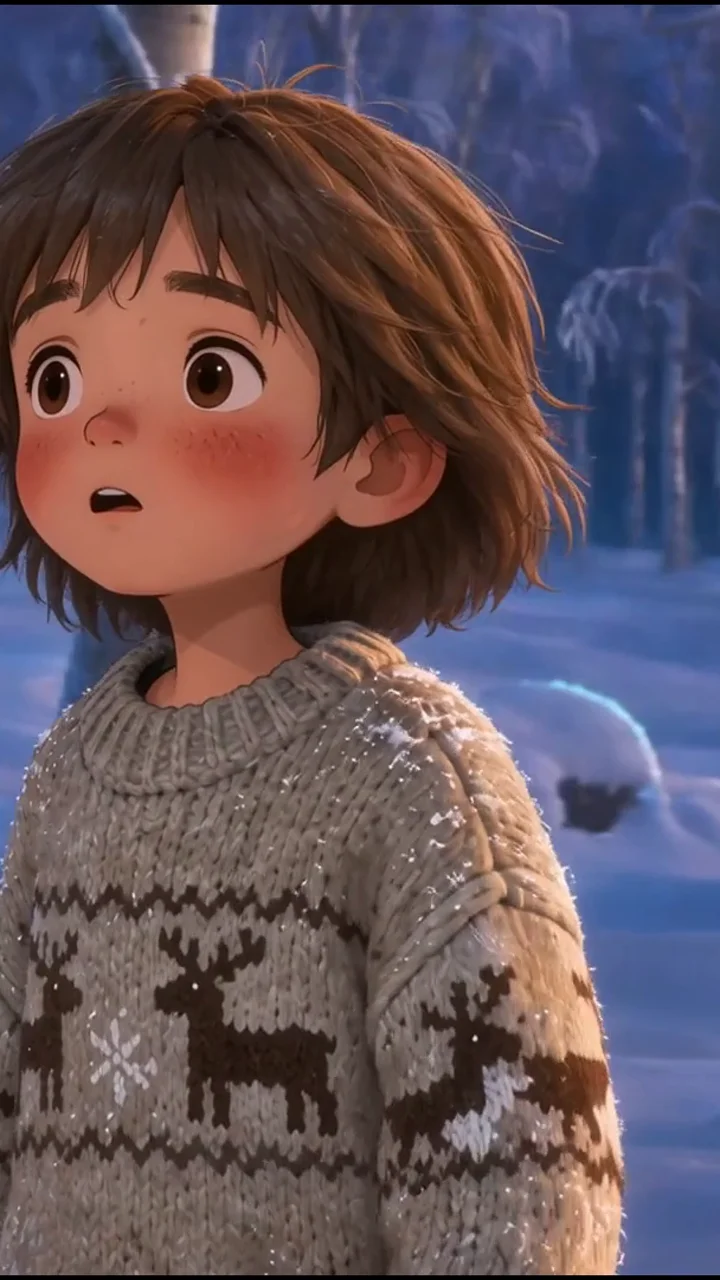
The presets lean storybook: soft shapes, warm light, friendly faces. Edgy or scary directions get talked back to before a credit is spent.
One style, every scene
Lock a vetted style keyframe and the Director reuses it shot to shot, so the short looks hand-made by one artist rather than stitched from clips.
Narrated and captioned
A warm read-aloud voice and timed captions land in the same run, so the story works at bedtime with the sound low and for children still learning to read.
What kid-safe means in this workflow
You describe the story - a tiny dragon afraid of the dark, a backpack that goes adventuring at night. The agent drafts a gentle arc, locks one friendly cartoon style across every scene, and assembles the short with read-aloud narration and captions.
Characters stay original by design: the presets lean storybook and kind, trademarked faces are off the brief, and you approve the script before anything renders.
One sitting, two shorts
A parent's first run, start to finish.
Saturday morning: a parent types the story her daughter made up at breakfast, approves the script, picks a watercolor preset. The birthday-invite cartoon renders first; a second run in the same style turns the character into tonight's bedtime short.
The birthday invite
A thirty-second cartoon invite carrying the name, the age, and the party time - texted to the whole class instead of folded into a paper flyer.
The bedtime short
Same character, new adventure: the penguin finds the night light. Rendered against the same style keyframe with the read-aloud voice and captions on.
The preset lock
Both runs render against one vetted style reference, so the invite and the bedtime short feel like one little series drawn by the same hand.
Why families build kids' videos this way
Original characters, one locked friendly style, narration and captions included, and a finished short per sitting - not an editing project that eats the weekend.
Characters your child invents
Ask for a brave penguin baker and get an original character. Rebuilding trademarked mascots is off the brief, so nothing you publish leans on someone else's franchise - and your channel stays yours.
A style you trust at bedtime
Vetted presets lean storybook - soft shapes, warm palettes, gentle motion. Every scene is checked against the locked look, so a shot that drifts eerie gets re-taken before export, not after upload.
A real story arc, in minutes
Hook, small problem, kind resolution: the playbook writes for the age you mention in your brief, so the short lands like a picture book read aloud instead of a random clip mash-up.
Read-aloud narration included
A warm narrator reads your approved script in the same run and captions go on too, so the story works at bedtime with the sound low and for early readers sounding out words.
The birthday-invite cartoon
The gateway project: drop in the name, age, and party time, and one run becomes an invite cartoon you can text to every family in class instead of another paper flyer.
Episodes when you want them
Keep the character and the style, swap the adventure, and episode two matches episode one frame for frame - the shape a family YouTube channel needs to look made by one hand.
Cheap enough to play with
Draft the framing cheap and spend the premium pass only on the take you keep. Failed renders refund, and credits wait for the next rainy weekend instead of burning monthly.
Ready for upload day
Wide 16:9 for the living-room screen plus a vertical cut for Shorts, both watermark-free, plus a plain-language walkthrough of the made-for-kids settings YouTube asks about.
Example Outputs
Animated shorts made on Moosky
Real multi-scene projects from Wan 3.0 and LTX 2.5 - the engines Project Director uses to turn one story idea into a finished short.


How it works
From bedtime idea to finished cartoon in four steps
Tell the story, lock a friendly look, approve the script, download the short - narration and captions arrive in the same run.
1. Tell the story
A tiny dragon who is scared of the dark is a complete brief. Mention the age and the mood in your brief, and the playbook drafts a gentle arc you read and edit in chat.
2. Lock the kid-safe look
Pick a vetted preset - watercolor, claymation, storybook - or upload one friendly keyframe. The style carries across every scene and drift gets flagged.
3. Watch it build, fix one scene
Scenes generate against the style lock while the narrator reads your approved script. Edit any line in chat; a wobbly scene gets re-taken without touching the rest.
4. Download and upload
Wide 16:9 for the TV and a vertical cut for Shorts, both watermark-free. The FAQ below walks through the made-for-kids settings to tick in YouTube Studio.
Credit-based
Simple, honest pricing
A two-to-three-minute cartoon short usually lands in the low double-digit credit range depending on scene count and re-takes; draft passes cost a fraction of the hero render. Nothing is charged until the agent plans or a scene actually generates, and failed renders refund, so trying one story idea costs less than a movie rental.

More from Moosky AI
Explore our full suite of AI tools.
Frequently Asked Questions
Is this AI video maker safe for kids to use?
It is built for the adult in the room. Children do not need accounts and should not be running the prompts: you write the brief, approve the script, and pay with your credits. What makes the output kid-safe is the workflow itself - original characters only, vetted style presets, a script you sign off on, and a final review before anything downloads or posts. Treat it like a paint-by-numbers kit you supervise, not an app to hand over.
Can it make videos with Elsa, Bluey, or Paw Patrol characters?
No, on purpose. Those characters belong to their studios, and putting AI copies of them on a public channel invites takedowns and strikes even when a homemade video means well. The playbook redirects toward originals with the same pull - a brave penguin, a fluffy cloud dragon, a brave little tow truck - which also means your channel, its characters, and any future monetization stay yours.
How do I upload children's videos to YouTube the right way?
When you upload, YouTube Studio asks whether the video is made for kids, and that choice is yours to make honestly in Studio - it changes comments, playlists, and personalized ads on that video, and it is not something any creation tool can set for you. What Moosky controls is the file itself: watermark-free MP4 exports, wide and vertical cuts, and nothing embedded that claims affiliation with a franchise.
What does one animated kids video cost?
Credits per finished scene, with the quote shown before anything renders and refunds on failed ones - no monthly subscription, so a month where the kids are out at grandma's costs nothing. A short, story-first cartoon is a few dollars of credits; the habit-forming part is drafting the framing cheap and only paying for the take you actually keep.
Can my child turn their drawings into a cartoon?
That is one of the best first runs. Photograph or scan the drawing, attach it as the style keyframe, and Project Director animates the world around it while holding your child's linework as the reference. The picture stays theirs; the agent just gives it a little weather, a little camera move, and a voice.
Do I need editing, drawing, or animation experience?
None. The inputs are a story idea in plain words and, optionally, a drawing or photo. The playbook handles the arc, the style lock handles consistency, and narration and captions ride along in the same run. If you can approve a group chat message, you can approve a storyboard - the hard skill was always the software, and the software is already done.