Moosky AI field guide
How to Make a Video from a Script Sketch: Rough Bullets to a Finished Clip
Turn a rough bullet outline into a coherent AI video: tag the beats, flip through them, keyframe, then render the survivors in Project Director.
On this page
How to Make a Video from a Script Sketch: Rough Bullets to a Finished Clip
You do not need a finished script to make a video. A page of rough bullets, a napkin outline, a scrambled list of "and then this happens" is enough to start. The mistake that stalls most people is waiting until the writing feels done before they touch a video tool. It usually never feels done, and the waiting is where the project dies. A sketch is not a weaker starting point than a script. It is the right one, because at the sketch stage a change costs you a keystroke instead of a re-render.
This guide is about the step before the screenplay: how to take a half-formed idea, sketch it into beats you can actually shoot, and turn those beats into a coherent AI video without paying to find out the idea was bad. The angle is deliberately different from our script-to-screen workflow guide, which assumes you already have a finished script in hand. Here we start earlier, with the outline, and finish when the first usable clip exists.
What counts as a script sketch
A sketch is the shortest thing that captures the video's shape. One idea, and a list of beats that carry it from open to close. It is not a script: there is no dialogue yet, no camera directions, no polished sentences. If you have written finished voiceover lines and proper slug lines, you are past the sketch stage and the script-to-screen guide is the one you want.
There is exactly one rule that separates a workable sketch from a wish list: every bullet has to name something you can see. "Explain why we started the bakery" is a topic, not a beat, and a video model cannot render a topic. "Flour hits the counter, hands start kneading" is a beat. Before you do anything else, go through the list and rewrite any bullet that names an idea rather than an image. Half the work of making a video is done in that pass, and it costs nothing.
Keep the list short to start. Five to nine beats is a one-to-two-minute video, which is the right size for a first project: long enough to feel like a piece, short enough that a bad beat is a small loss. You can always extend it later; you cannot easily rescue a sprawling twenty-scene draft that never had a shape.
Step 1: Sketch the beats, then tag each one
Take your outline and split it into a numbered list, one line per visual idea. The opening, three or four middle beats, a close. Then add two quick tags to each line, and only these two:
- A verb. What actually moves in the frame. Pour, walk, push in, cut to, hand over. A beat with no verb is a still photo waiting to happen, and if you want a still, generate a still instead.
- A rough length. Read the beat out loud and time the sentence you would speak over it. A four-second clip under a nine-second line of narration looks broken no matter how good the clip is, so decide the duration at sketch time, not render time.
Do not polish the wording. The whole point of sketching is that the words are temporary. A beat that reads "neon street, guy walking, sad" is perfectly usable right now; you will tighten it once you can see whether the sequence even works.
Step 2: Flip through the sketch before you make anything
Put the beats in order and read them silently, the way you would flip through a stack of empty storyboard cards, imagining each one as a still image. If the sequence does not hold together as a story you can follow without sound, the problem is the sketch, and you should fix it now because it is free. Reorder two beats. Drop one. Add the missing turn that makes the ending mean something.
This single habit is the cheapest quality lever in the whole pipeline. A bad scene discovered at render time costs credits and a waiting period. The same bad scene discovered at step two costs nothing, because you only move a line of text. If you take one thing from this guide, take the flip-through.
Step 3: Turn the beats into cheap keyframes
Once the sketch reads well, make one picture per beat before you make any video. A still image is a far more specific instruction than a line of text, and it costs a small fraction of a video render. Generate a frame for each beat, approve it or regenerate it, and keep only the ones that look like your video. Image-to-video built on an approved frame gives you composition control a bare text prompt does not.
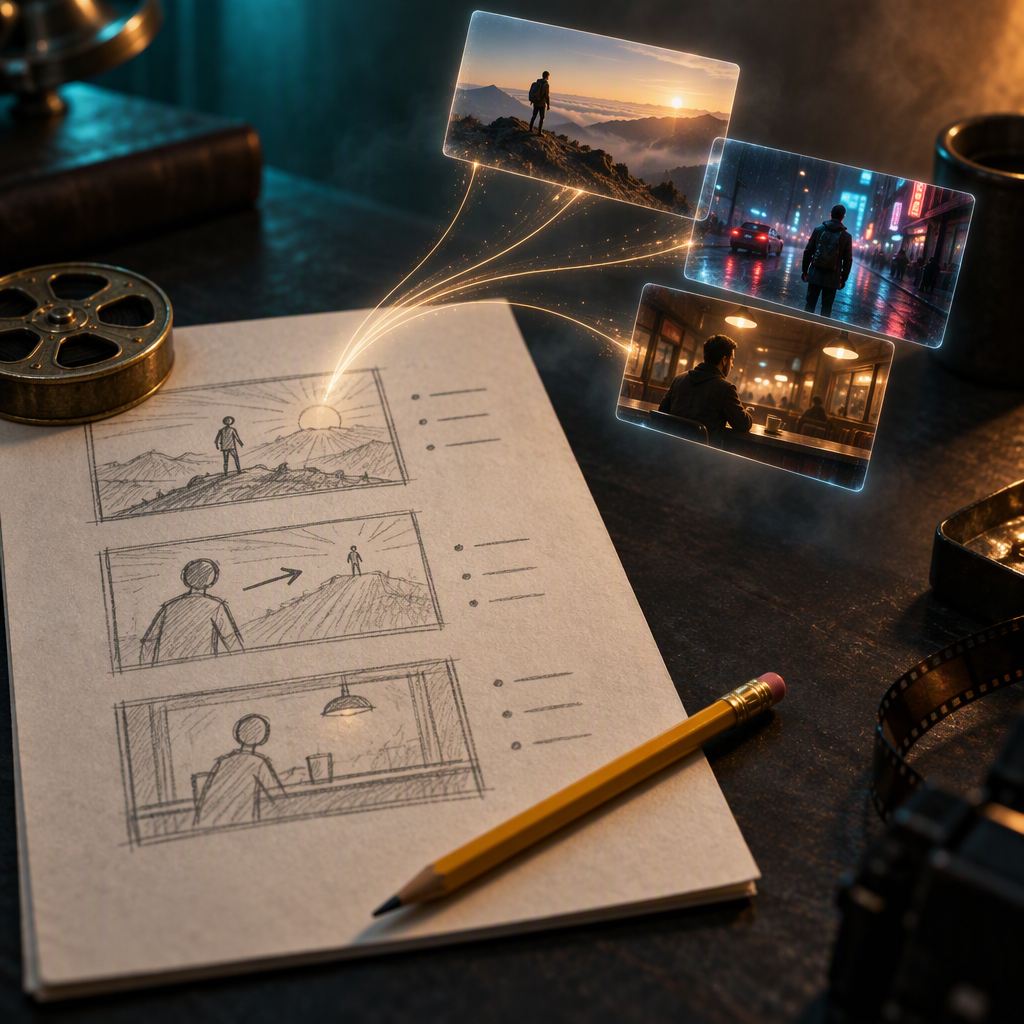
The literal sketch-to-video idea works here too: a rough drawing is enough to steer the model. A stick figure with an arrow through the frame means "push in on this" more reliably than three adjectives, because it hands the model the camera and the subject at once. You do not need to draw well; you need to show where the camera is. If you would rather skip the drawing, the same path runs through script-to-video, which takes the outline and lays the keyframes out for you scene by scene.
For multi-scene projects, the practical storyboard is this: one approved still per beat, laid out in order, that you can flip through and edit. Fixing a keyframe is cheap. The video render is where you start spending.
Step 4: Hand the beats to Project Director so they stay coherent
This is where sketch-to-video breaks for most DIY attempts. Twelve clips generated one at a time never quite match. The lighting drifts, a character's face changes between shots, the room in beat five is not the room in beat two. Stitched together, they look like a trailer for a movie that does not exist.
Moosky's Project Director is built to solve exactly this. You hand it the brief or the beat list, and it plans a scene list and generates the scenes as one project with shared characters, settings, and style, instead of a pile of unrelated generations. You review the plan and the per-scene descriptions before anything renders, editing a description at that stage is free, approve once, and the run plays out the whole sequence with continuity held across scenes. The first-video walkthrough shows the plan conversation, the credit estimate, and the takes strip end to end.
The honest credit picture, so nothing surprises you at the wall. Credits are billed at 100 per dollar. A brand-new account starts with 10 signup credits plus a 50-credit Project Director planning allowance, which is enough to write the beats, plan the project, and see the quote without spending anything; the first render sits behind a 500-credit wallet floor with a $5 minimum top-up. When drafts run, the cheap tier sets the pace: a Wan 3.0 draft is 49 credits for the first-shown 5-second 480P clip, about 126 for 15 seconds, and the price roughly doubles with each resolution step, so you scout scenes at the floor tier and only spend on hero renders for the shots that earn it. A 30-second 1080P single take is a 934-credit production decision, not a scratchpad run. Failed runs refund automatically, so a provider hiccup costs you a retry, not the money. The full reroll arithmetic is broken down in our cost-per-usable-clip guide; here the only point you need is that the planning allowance lets you test the whole idea before the wallet floor ever matters.
If your project is a single shot, or you would rather drive each render yourself, the video generator runs the same flagship models per clip. Either way, hold one style cluster constant across every beat, one lighting choice, one grade, one texture. "Warm key light, amber grade, light film grain" repeated on every scene prompt is what makes a handful of clips read as one video.
Step 5: Cut it like ordinary footage
Generated clips are raw footage, not a finished video, and they should pass through an edit the way footage would. Trim each clip to the action and cut the dead head and tail. Lay the voiceover or the music bed first and cut the visuals to it, never the other way around; duration problems that hid per-clip become obvious against narration. Composite real text in the edit rather than asking the model to render signage or captions. And fix an outlier by re-rolling that one scene, not the sequence, which is the entire economics argument for planning before you render.
Worked example: a napkin outline to a 60-second clip
A neighborhood bakery wants a short video for its opening week. No scriptwriter, no footage, no budget. They start with a literal napkin that says: the morning before open, the first loaf, the regulars, the coffee, a "we made this for you" close. Five rough bullets, nothing finished.
- Sketch. Each napkin line becomes a beat with a verb and a length: flour onto the counter (4s), hands kneading (5s), the loaf out of the oven, steam (6s), the door chime, first customers (8s), the close card (4s). The two that named moods rather than pictures, "the morning" and "we made this for you," get rewritten into visible things before anything is rendered.
- Flip-through. Read silently: the arc works, but the door-chime beat lands too early. One reorder, free.
- Keyframes. Four stills, one per real beat; the close is a text overlay in the edit, not a render. Two stills need a second try and that is the only place anything is retried here.
- Generate. The whole thing runs as one Project Director project from the beat list, so the counter, the oven light, and the warm amber grade stay identical across scenes, and the flour-dusted hands are the same hands in beats one and two. Two scenes get a second take at the free review stage. Drafts run at the floor tier; the two hero shots, the steam and the customers, get the higher render.
- Edit. Music first, cuts placed to it, real text for the name and the opening date, one fade between the empty-morning act and the busy-shop act. About 60 seconds, and most of the credits went into the few renders that stayed, not into finding the idea.
That cost profile is the point. Steps one through three moved the expensive mistakes to the cheap end of the pipeline, where a change was a keystroke or a still, not a re-render.
When a sketch is enough, and when you need more
A sketch carries you to a usable video for most short-form jobs: an explainer, a promo, a vertical clip. Three things push you past the sketch and into a proper script. If the video runs on dialogue with lips moving, write the lines first, because timing and lip sync stop working on rough bullets, and the script-to-screen guide is built for that. If you are building a recurring narration channel, follow the reddit-story workflow or the faceless-YouTube guide instead, where the format wants a locked script and a locked voice from the first upload. And if you are only trying to learn what your beats should look like in the first place, a format-specific how-to like the TikTok vertical guide will get you a sharper outline faster.
Be honest about what still fights you. Long talking scenes with accurate lip sync stay hit-or-miss, so keep dialogue short or run voiceover over b-roll. Text inside generated scenes, signage, UI labels, menus, unreliable, so composite it in the edit. Very specific real places, your actual bakery, your actual product, generate better from photos of the thing than from descriptions of it, so photograph the real counter and start there.
Frequently asked questions
Do I have to write a full script first? No. A sketch of five to nine visible beats is enough to start, and starting early is the whole advantage: at the sketch stage a change costs a keystroke, while at the render stage it costs credits and a wait. Graduate to a full script only when the video depends on finished dialogue or voiceover timing.
Can I make a video straight from a photo of my paper sketch? Yes, that is the sketch-to-video path. A rough drawing that shows the subject and a camera arrow is enough to steer framing and motion, and you can go from the page to keyframes to clips without redrawing anything. The script-to-video page walks the outline-to-clip version of this.
What is the difference between a sketch, a storyboard, and a script? A sketch is the beats in words, the idea's skeleton. A storyboard puts one image on each beat so you can see the sequence. A script adds the finished dialogue and timing. You move sketch, then storyboard, then script, and you only write as far as the video actually needs; a silent b-roll promo never had to become a script.
How much does a sketch-to-clip run cost? It depends on how many hero renders you keep. You can plan the entire project inside the 50-credit Director allowance and 10 signup credits for free, then drafts run at the cheap floor tier (a first 5-second draft is 49 credits) and the real cost is the handful of higher-resolution renders you approve. The first render needs a 500-credit wallet, about $5, and failed runs are refunded. The credit-math guide has the full per-tier table.
How many beats should my sketch have? Five to nine for a first project, which lands around a one-to-two-minute video. Short enough that a weak beat is cheap to cut, long enough to have a real beginning, middle, and end. Extend later once the shape holds.
Start from the sketch you already have
The outline on your desk is not a rough draft of the real work; it is the most valuable artifact in the process, because it is the one you can still change for free. Sketch the beats, flip through them, price the idea inside the planning allowance, and render only the scenes that survive. The models handle the footage; the sketch does the directing, so give it the attention while it is cheap.
Create with Moosky AI
Turn ideas into finished productions
Access leading AI models and production workflows from one workspace.
Try Moosky AIComments
Comments are reviewed before they appear publicly.
Join the discussion — sign in or create an account to leave a comment.
No approved comments yet. Start the conversation.