Moosky AI field guide
MiniMax H3 Ref2V Workflow: Steer an AI Clip With a Reference Video, Step by Step
The MiniMax H3 Ref2V workflow on Moosky: build a reference sheet, direct motion and camera transfer with labels, iterate with delta edits, and export a clip.
On this page
MiniMax H3 Ref2V Workflow: Steer an AI Clip With a Reference Video, Step by Step
Most people discover reference-to-video through the pictures: upload a face, keep the face. But the mode's real leverage shows up when you point a clip at the model — a reference video for the camera move, the walk, the cut rhythm you want — and H3 performs a new scene in that language instead of guessing from adjectives. This is the MiniMax H3 Ref2V workflow end to end on Moosky: build a reference sheet, direct it with labels, tune motion and camera transfer, iterate cheaply, and export.
If you're still deciding what Ref2V is and how it differs from image-to-video, the reference-to-video explainer covers the concept side. And if the question is whether H3 earns its credit bill before you open the composer, the buying guide Is MiniMax H3 worth it in 2026? runs the credits-per-clip math and the honest no-buy cases. This article is the doing side: the sequence of choices that turns a bundle of files into a consistent, performed clip inside the H3 Ref2V composer.
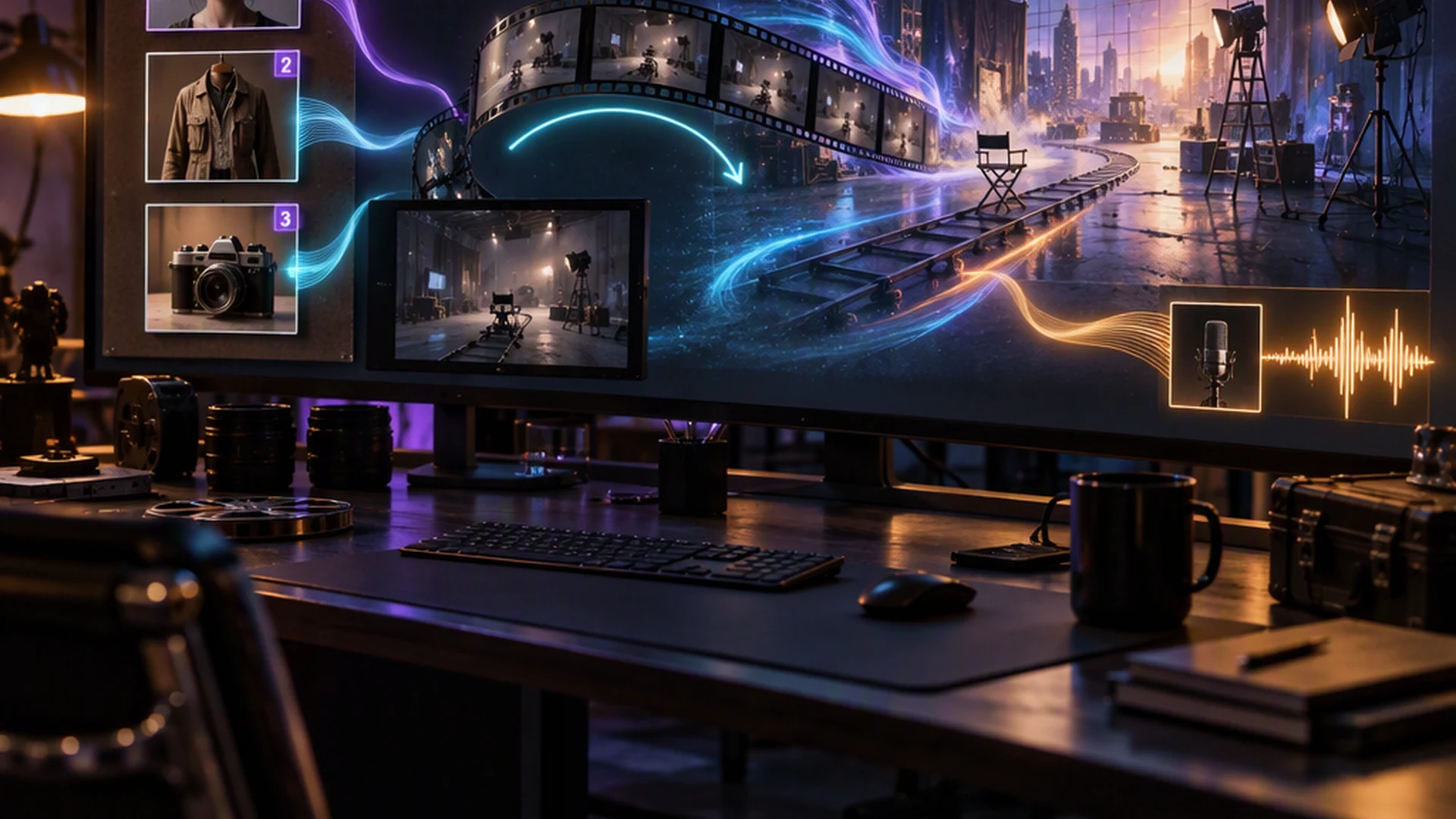
A text prompt can say "slow dolly-in as she turns to the window." Whether the model renders your idea of a slow dolly-in is a coin flip. A 6-second reference clip removes the coin: motion, pacing, framing, and edit feel transfer from something you watched, not something you described. H3 treats its reference slots as an ordered bundle — up to 9 images, 3 video clips, and 3 standalone audio files, 12 files total — and your labels (Image 1, Video 1, Audio 1) assign each one a job: identity, wardrobe, style, motion, camera, or voice. That role assignment is what makes iteration predictable: when a take goes wrong, you change one file or one label instead of rewriting a paragraph of modifiers and hoping. The full mode overview lives on the MiniMax H3 Ref2V page; the rest of this article is the workflow itself.
Step 1 — Build a reference sheet that survives iteration
The sheet is the asset. Spend ten minutes on it and every later step gets shorter.
- Face: two or three angles of the character — front, three-quarter, and whatever profile your storyboard needs. A single frontal portrait holds eye lines but drifts on turns.
- Wardrobe and props: flat-lay or isolated shots. A separate
Image 2for the jacket keeps the face reference free to do only face work. - Motion: one short clip (2–15 seconds) of the movement you want — a handheld follow, a steadicam push, an actor's walk. Keep the total reference-video duration under 15 seconds; H3 bills input-video seconds, so trim to the move, not the whole take.
- Voice: an optional 2–15 second audio take. Attach it and the performed line keeps that timbre — in any of H3's 11 dialogue languages, with lip sync baked into the same pass.
Upload everything in deliberate order. The labels follow the order: first image is Image 1, first video is Video 1. A sheet that mixes "whatever" order is a sheet you'll fight later.
Step 2 — Open the composer and set the frame of the job
Open the H3 Ref2V composer (no subscription; it runs on Moosky credits, 100 per $1). Load the reference assets, then make the three structural choices before writing prose:
- Duration: 4–15 seconds per clip. Short passes are cheap; hero shots can escalate later.
- Resolution: 768P for drafts (about 10 credits per second of output), 2K for finals (about 18). The exact quote for your bundle appears in the composer before anything runs.
- Aspect: 16:9 for embeds and YouTube, 9:16 for feeds and Shorts.
Setting these first matters because the composer prices references against them: input-video seconds bill at different rates for 768P versus 2K output, so a motion reference that stays in through the final should be as short as the move allows.
Step 3 — Direct with labels, not adjectives
Write the prompt as a shot brief that cites your files by name:
Image 1(face) andImage 2(green jacket) stand behind the pass counter at closing time, warm tungsten light. The camera slowly pushes in asImage 1looks up and says: "Last call, then we lock up."Video 1sets the handheld feel.Audio 1is the voice.
A few rules that separate takes that hold from takes that wander:
- Give every file an explicit job. "Use the references" is a wish; "Image 2 is the wardrobe" is an instruction.
- Name the camera move in the model's own vocabulary: Push In, Pull Out, Pan, Truck, Tilt, Pedestal, Arc, Tracking, Static, Shake, POV, Zoom, Roll — plus a speed when it matters ("slow," "whip"). With a motion reference attached, the verb confirms the transfer instead of replacing it.
- Put dialogue in quotes, verbatim. Don't summarize a line you need word-exact; H3 performs quoted speech with lip sync rather than paraphrasing it.
- Describe sound in layers: what the room sounds like, and whether
Audio 1is copied (their actual voice) or referenced (their voice style, new words).
Step 4 — First pass, then tune motion and camera transfer
Generate at 768P and read the result like an editor, not a fan. Four failure modes and their fixes cover most of the tuning:
- The move is too strong or too weak. The reference clip contains more motion than the shot needs (or contains a different move). Trim the clip to the two seconds that hold the move, or swap the
Video 1for a cleaner take. Frame selection on upload helps: pick the segment instead of feeding the whole file. - Identity drifts on turns. Add the missing angle to the sheet — usually a three-quarter or profile shot — and keep
Image 1as the only face file so its job stays unambiguous. - The style overpowers the reference. Heavy stylization ("anime," "oil painting") is where faces drift most. A plain style sentence ("live-action cinematic, 35mm look") before the shot description holds identity far better.
- The voice isn't theirs. Check that
Audio 1accompanied at least one visual (audio can't be the only input) and that the prompt says the voice is copied from it, and keep the spoken line short enough for the clip length.
Each of these is a one-file change. That's the point of the workflow: diagnosis maps to a slot, and a slot change costs one regeneration.
Step 5 — Iterate with delta edits instead of restarts
When a take is 90% right — the performance landed but the jacket's wrong, or a prop is missing — don't rebuild the scene from scratch. H3's Ref2VA mode supports delta edits: attach the approved clip as your Video 1 and prompt only the change ("same scene, same delivery, jacket now navy"). The performance carries, the edit applies, and you're paying for seconds of output, not a full new render. Restart from references only when the scene concept itself was wrong.
A practical cadence that keeps budgets honest: one exploratory pass per concept, one tuning pass at 768P, the accepted take re-run or delta-edited at 2K only for shots that make the cut. The composer shows the credit quote before every run, and failed runs are refunded.
Step 6 — Export and assemble
Because the identity lives in your sheet instead of in one lucky generation, the same bundle drives every panel of a sequence: keep the file roles frozen, rewrite setting, blocking, and the line, and render the next panel. Each clip comes back already performed — lip-synced stereo dialogue, ambience, and score cues you directed in the prompt — so an editor can cut the sequence straight away without a TTS stitch or dubbing pass. For a multi-character scene, give each role their own image slot and keep speaker turns explicit in the prompt.
Workflow scenarios for reference-driven creators
The recurring host. A faceless-channel creator builds one host — digital face, one jacket, one voice take — and produces cold opens weekly. The sheet is made once; each week changes only the setting sentence and the quoted line. When a joke needs a beat of timing, they attach last week's approved open as Video 1 and ask for the same rhythm with the new punchline.
The product ad variant runner. An e-commerce team loads a product from two sides plus a lifestyle reference, then generates scene variants — kitchen counter, gym, beach — keeping packaging pixels stable because the reference, not the prompt, owns them. A reference clip of a hand rotation handles the "pick it up" moment across every variant.
The localization pass. A creator with a hit 9:16 clip re-renders it with the same face and voice references but the line in Spanish or Japanese — Ref2VA performs new lip-synced dialogue in-language rather than dubbing over old mouths.
The storyboard walker. A short-film storyboarder poses key frames in a still-image tool, loads the last frame of each scene as the opening reference of the next, and cuts seams that would otherwise show — continuity stretches past the 15-second clip limit because the reference carries across generations.
Frequently asked questions
Do I have to use a reference video, or are images enough? Images are enough for identity — face, wardrobe, product. The reference video earns its slot only when the shot depends on a specific movement, pacing, or edit feel. For static or slowly staged talking shots, images plus a named camera verb often beat attaching a noisy clip.
How is "tune the camera transfer" different from just prompting a camera move? Prompting a verb tells the model your genre of move; a motion reference shows it the actual amplitude and speed. Best results come from pairing them — the clip demonstrates the move, the sentence confirms it ("slow Push In, matching Video 1") — because a bare clip reference sometimes gets interpreted loosely when the scene content changed a lot.
Why did my voice reference change the words I asked for?
If the prompt doesn't say what Audio 1 is for, the model may treat it as content to reproduce. State the job explicitly — "voice timbre copied from Audio 1; new line:" — then quote the line verbatim within the clip's second budget.
How do I stop a reference clip's lighting or background leaking into my new scene? Trim the clip to the seconds where the move is isolated, and describe your own lighting in the scene brief. Reference transfer is a vote, not a mandate — a strong setting sentence ("cold blue morning light") outvotes background noise left in the reference.
What's the cheapest way to converge on a final?
Draft at 768P, 4–6 seconds, five free input images included; once the take is approved, delta-edit the approved clip itself as Video 1 at 2K for the final instead of re-rendering from references. You pay full-rate output seconds exactly once.
Create with Moosky AI
Turn ideas into finished productions
Access leading AI models and production workflows from one workspace.
Try Moosky AIComments
Comments are reviewed before they appear publicly.
Join the discussion — sign in or create an account to leave a comment.
No approved comments yet. Start the conversation.