HappyHorse 1.1 AI Video Generator
Cinematic image‑to‑video with HappyHorse 1.1
Create polished 720P or 1080P videos from a prompt or a starting frame. HappyHorse 1.1 delivers smoother motion, stronger subject consistency, richer detail, and improved audio-visual sync.
Model Overview
HappyHorse 1.1
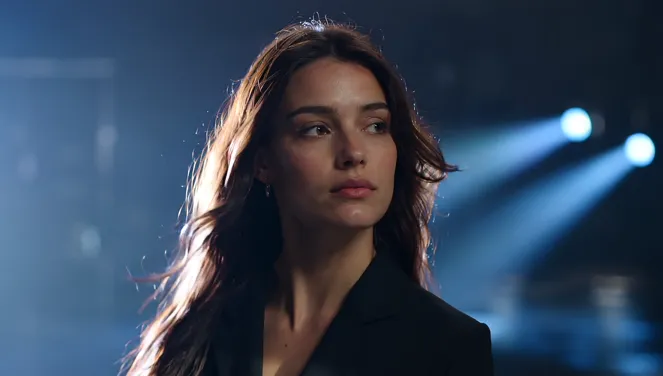
HappyHorse 1.1 is a premium first-frame video composer with systematic upgrades over 1.0: stronger motion expressiveness, better subject consistency, improved instruction following, richer visual detail, and enhanced audio-visual synchronization.
Workflow Detail
Give the model a scene, then let it move.
HappyHorse 1.1 works well when the prompt describes camera motion, subject behavior, atmosphere, and any speech or sound intent, with a start frame added when visual continuity matters.
Cinematic direction
Describe camera movement, subject action, lighting, mood, and continuity in one focused prompt.
Optional image anchor
Add a start frame when the scene needs to preserve a character, product, or composition.
Sound-aware prompts
Include dialogue, ambient audio, or music cues when the clip needs synchronized audible detail.
Why use it on Moosky AI?
Model-specific controls with no subscription, clean outputs, and a workflow built for fast creative iteration.
Smoother cinematic motion
1.1 improves motion modeling and temporal consistency for more coherent action, camera movement, and expressive subjects.
Stronger subject consistency
Better preservation of characters, products, and scene elements across the clip when anchored by a start frame.
Start frame control
Use an image or selected video frame as the visual anchor for the generated clip.
Text-to-video option
Omit the start frame when you want HappyHorse to build the scene entirely from your prompt.
Audio-visual sync
Describe dialogue, ambient sound, or music in your prompt and 1.1 follows audible intent more reliably.
No watermark by default
Generate clean videos for social, client, and commercial creative workflows.
Credit-based pricing
No subscription required. Buy credits when you need them and generate on demand.
Portrait or landscape
Choose the orientation that matches your format, from widescreen clips to vertical content.
Example Outputs
Example outputs
Featured public clips created with HappyHorse 1.1 on Moosky.


How it works
Move from a prompt or optional start frame to a polished cinematic clip in a short guided flow.
Credit-based
Simple, honest pricing
HappyHorse uses Moosky credits. Final cost can vary with duration and resolution, and you can review the estimate before generating.

More from Moosky AI
Explore our full suite of AI tools.
Frequently Asked Questions
What is new in HappyHorse 1.1?
HappyHorse 1.1 improves motion expressiveness, subject consistency, instruction following, visual quality, and audio-visual synchronization compared with 1.0.
Does HappyHorse require a starting image?
No. HappyHorse supports text-to-video without a start frame, or image-to-video when you provide one.
When should I use HappyHorse instead of a first/last-frame model?
Use HappyHorse when one starting frame is enough and you want cinematic style, expressive motion, and strong camera movement. Choose a first/last-frame model when the final frame needs to be controlled explicitly.
What duration and resolution does HappyHorse support?
HappyHorse supports 3-15 second outputs at 720P or 1080P in landscape or portrait orientation.
Do I need a subscription?
No. Moosky AI uses credit-based pricing, so you can buy credits when you need them.