UGC ads, without the crew
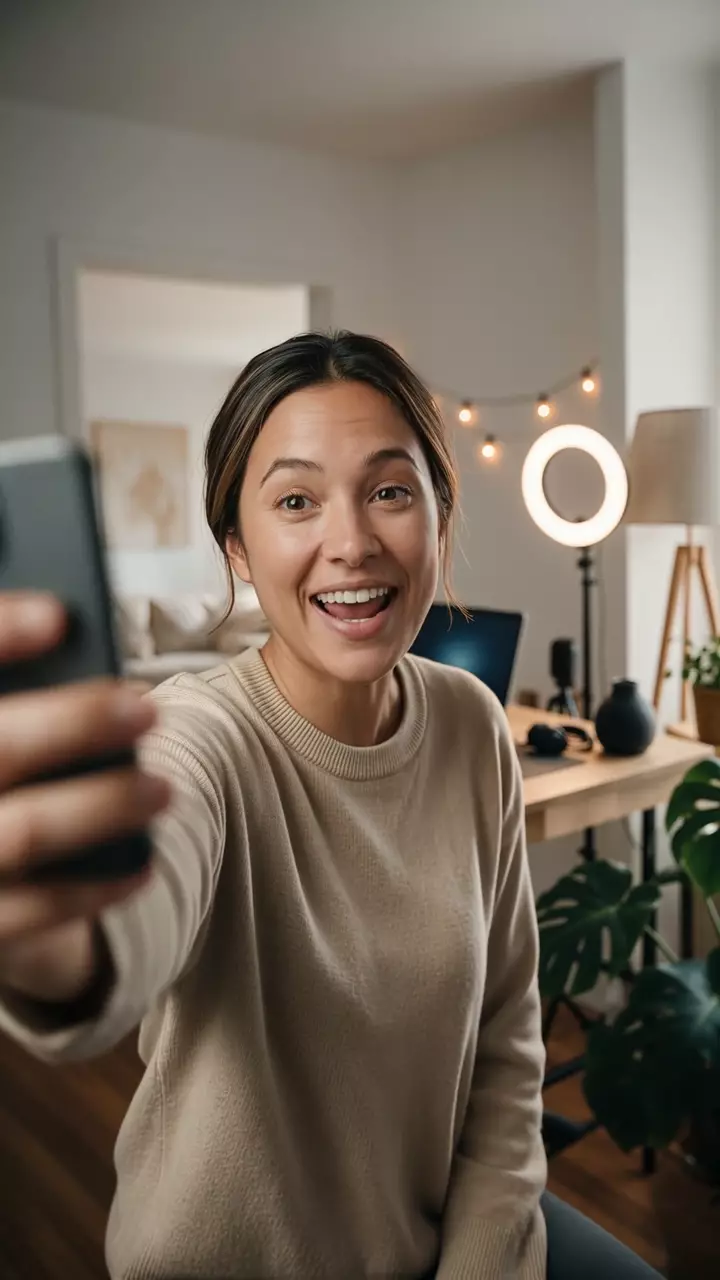
UGC ads that look filmed on a phone.
Project Director scripts the hook-demo-CTA beat, produces the talking-head scenes, and keeps one creator on-model across every take.

AI Project Director
Plans every detail
Agent-orchestrated production
Generates and assembles
Creator-locked identity
Face and voice on-model
Take QA you direct
Flag a stiff line, re-shoot it
Faster production
From idea to ad—fast
Model Overview
UGC Ad playbook
UGC-style talking-head ads beat polished studio spots on TikTok and Meta because they look native to the feed: someone holding the product, talking to camera like they'd post it themselves. The UGC ad playbook scripts that beat (hook, demo, CTA), then produces every scene with one creator's face and voice locked across shots.
Explore the playbookSelfie hook, demo, and CTA scene structure
A social-native sequence built to feel filmed on a phone.
Locked creator identity across shots
The on-camera person stays consistent from scene to scene, whether you attach a still or let Project Director create one.
Native captions and spoken pacing
Emphasis words and cuts land where a creator editor would put them.
Platform aspect ratios
Vertical and square exports sized for Reels, TikTok, and Shorts.
The details
Sourcing creators is the expensive part. Describe the person you want and Project Director generates a locked creator, or attach a photo of someone you work with. Dropshipping a product that hasn't shipped yet? Describe it and the ad exists before your first order fulfills.
Why use Project Director for UGC?
Chat-driven production with creator lock, quality checks, and credit-based runs. No subscription.
Built for UGC ads
Start from a UGC Ad playbook instead of a blank prompt box.
Optional refs, locked identity
Skip assets and Project Director creates a locked face and voice. Attach a still, voice sample, or product photos when you have them — for example a UGC review of your product.
Selfie hook, demo, sign-off
The script is built as native social: a talking-head opener, a hands-on demo, and a casual close, scene by scene.
Phone-filmed, not cinematic
Talking-head delivery with a casual, social-native feel instead of a studio pack-shot spot.
Creator-style captions
Emphasis words, jump cuts, and captions land where a real editor would put them.
Batch hook variants
Run the same demo and CTA with a different scroll-stopper each. Replace the first scene, re-render, and keep testing before creative fatigue kills the winner.
Lines people actually say
Contractions, pauses, and phrasing that read as spoken rather than read, so the ad does not feel like an ad.
Platform-native exports
Square and vertical renders sized for Reels, TikTok, and Shorts, with captions burned in on request.
Example Outputs
UGC ads from the community
Featured talking-head ads tagged UGC.


How it works
From brief to ad in four simple steps
Describe the product. Attach refs if you have them — or let Project Director create a locked on-camera identity.
1. One brief
Describe your product, audience, and tone. Face stills and voice samples are optional. Attach brand or product photos if you want a product review.
2. Co-designed scenes
The agent scripts a selfie hook, demo, and CTA as talking-head beats.
3. Generate and QA
It produces a multi-scene ad, keeps the creator consistent, and lets you pick the take.
4. Export your ad
Add captions, music if you want it, and export at the dimensions you choose.
Credit-based
Simple, honest pricing
Most short UGC ads land around $15–$25 in credits. You only spend when the agent reasons or generates; longer spots or extra re-takes can cost more. No subscription — top up anytime.

More from Moosky AI
Explore our full suite of AI tools.
Frequently Asked Questions
How much does a UGC ad cost?
A short social UGC ad typically uses about $15–$25 in credits, depending on length, scene count, and how many shots you re-take. Credits are used only when agent work or generation actually runs.
How is this different from a product ad?
The Product Ad playbook is a cinematic campaign sequence with pack shots and brand-locked product hero. This landing opens Project Director with the UGC Ad playbook so the agent plans talking-head scenes that feel filmed on a phone.
Do I need to hire a creator?
No crew required. Project Director can generate the on-camera creator and keep that face and voice locked across scenes. Attach your own still or voice sample only if you want a specific person.
Do I need to upload photos or a voice sample?
No. Face stills and voice samples are optional. Describe the ad and Project Director will create a creator and lock that identity — face and voice — across every scene. Attach your own still or sample if you want a specific person. You can also attach brand or product photos, for example if you want someone reviewing your product.
Why not just generate a single clip?
Generate returns one clip from one prompt. This playbook plans the talking-head beats (hook, demo, CTA) as separate scenes, locks the same creator across them, and assembles the ad in the same chat.
Can I shape the ad script before signing in?
You can open the workspace and co-design the hook-demo-CTA beat without an account. Sign in is required before the agent generates takes or saves the project, so approved scripts stay with your account.
Can I run the ad as paid creative?
Yes. UGC-style spots made with this playbook can run as organic or paid creative under Moosky AI and the selected model provider terms. Check both before scaling a campaign.
Can the talking head lip-sync my script and a specific voice?
Yes — that is the core of the format. The creator speaks your exact line with lip-synced delivery, and you can attach a face photo plus a voice sample (including a voice cloned on Moosky) so the presenter matches a specific person or brand voice across every take. Need just one lip-synced clip instead of a full ad? The same reference-driven models behind this playbook generate it scene by scene.
Was this ad made in Project Director?
Yes. This UGC-style spot is a product proof made in Project Director. It is not a paying-customer case study.
Can I make UGC ads for dropshipping products I don't have yet?
Yes. Describe the product or attach a few supplier photos and the UGC Ad playbook scripts and produces the talking-head ad without inventory on hand. Many dropshippers run their ad tests while stock ships, then use early hook performance to decide which variant to restock.
How do I scale creative testing once an ad starts working?
Batch hooks against the same demo and CTA. A winning ad usually dies from creative fatigue, not a bad offer, so the playbook treats hooks as swap-ready scenes: change the first scene, re-render, and keep the rest of the cut. You can also run the same script with different locked creators so your test sets stay visually distinct.