Wan 3.0 R2V (Reference to Video)
Wan 3.0 R2V Generator:
References In.
Motion Carried.
R2V is Wan 3.0's reference mode: hand it your faces and style as images, the movement you want as video clips, and optional voices as audio — and Wan re-performs a brand-new scene that keeps the motion, the characters, and the sync. No subscription, pay per clip with credits.
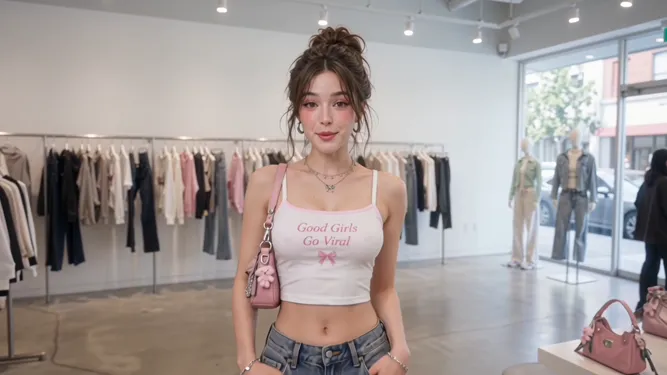
Model Options
Choose the workflow that fits your scene
Start with a prompt, add references when needed, and pick the generation path that matches the output.
Wan 3.0 (R2V)
Wan 3.0's default reference-to-video mode, exposed on Moosky as the R2V composer. Feed it a reference kit — faces and wardrobe stills, style boards, motion clips, voice takes — label each file in the prompt, and Wan keeps the identity, the styling, and the movement while it performs your new scene with native audio.
Other reference-to-video models
R2V is one of three reference modes on Moosky. When a shot lives or dies on spoken dialogue, MiniMax H3 Ref2V is the dialogue lane; when it is heavy kinetic action, Seedance 2.0 R2V handles it better. The full lineup is on the reference-to-video hub.
Example Outputs
Clips rendered in Wan 3.0 R2V mode
Real outputs from reference-conditioned generation with native audio on Moosky.


Why use it on Moosky AI
Powerful tools. Seamless experience.
Reference-conditioned renders
Hand the model reference files instead of re-describing your character every prompt. The identity lives in your uploads, not your wording, so take nine looks like take one.
Motion from a reference clip
Upload a short video of the movement you want — a dance loop, a fight combo, a walk cycle — and Wan re-stages that motion on your character in a new scene.
Anime and stylized looks
Lock flat color planes, line weight, and palette with style-board image references so the look survives the motion instead of drifting toward photoreal.
Standalone voice references
Attach up to five audio takes as references and the performed line keeps that timbre across the clip — audio can ride alongside images or video.
Native audio in the same pass
Output audio is on by default: dialogue, Foley, and ambience render with the picture. Exact lip-sync to specific words is still maturing.
Pay per clip
R2V runs on Moosky credits (100 per $1). The composer quotes the exact cost from your clip length and resolution before anything runs.
How It Works
Three simple steps to finished output
Load the reference kit
Upload faces and wardrobe stills, a style board, the motion clip you want to match, and optional voice takes — ordered, because the labels follow the order.
Label and direct the scene
Prompt the new shot — setting, action, camera, dialogue — and reference each file by label (Image 1, Video 1, Audio 1) so its role is explicit.
Render motion + audio
Pick 2-30 seconds at 480P, 720P, or 1080P and generate — the clip lands in your queue with its native audio track.
Why Wan 3.0 R2V for motion-consistent reference steering
The failure every motion-heavy AI clip runs into is not the face, it is the movement. Ask for "a breakdancer spins into a flare" in plain text and you get whatever motion the model invents, which changes on every re-roll. R2V is Wan 3.0's answer: video references carry the movement. Upload a clip of the actual motion, a dance loop, a fight combo, a rehearsed walk, and Wan conditions the render on it, re-staging that movement in a new scene with your character. The prompt writes the setting and the camera, the reference file writes the choreography. A drifted take then costs a file swap, not a paragraph of prompt surgery: when the punch reads as a shove, load a cleaner motion reference and re-run, and short drafts at 480P stay cheap enough to rough a whole sequence before you commit a hero shot to 1080P.
For anime and stylized work the same principle locks the look. A cel-shaded clip lives or dies on line weight, palette, and how hair and cloth move, details a prompt paragraph can only approximate. Load three or four finished frames of your character as image references and a short clip of the motion you want, and the render keeps the styling through the movement instead of only the first frame. That is motion transfer in practice: the gesture survives from your reference into the shot, and the character survives from shot to shot.
The labeling discipline is what makes the kit work. Each file takes its role from how you name it in the prompt: Image 1 the face, Image 2 the outfit, Video 1 the camera move, Video 2 the choreography, Audio 1 the voice. Explicit roles let a multi-character scene carry one reference kit per role in a single generation. And R2V has no first-frame path; when you need the opening still locked, that is the FFLF mode on the Wan 3.0 generator page.
Credit-based
Simple, honest pricing
No subscriptions. No hidden fees. Pay only for the credits you use.

More from Moosky AI
Explore our complete suite of AI tools.
Frequently Asked Questions
What is Wan 3.0 R2V?
R2V is Wan 3.0's reference-to-video mode: instead of a prompt alone, the generation is conditioned on files you supply — up to 10 images, 5 videos, and 5 standalone audio clips. The images carry faces, wardrobe, and style; the videos carry movement; the audio carries voice. Wan performs your new scene while holding all of it consistent, with native output audio in the same pass.
Can I move motion from one video onto another character?
That is the motion-transfer use case R2V is built for. Upload a clip of the movement (1-15 seconds, and all your reference video together stays under 15s) as a Video reference, describe your character and setting in the prompt, and label the roles (Image 1 is the face, Video 1 is the motion). Wan re-stages that movement on your subject instead of inventing its own, trimming the output so input plus clip never pass 30s. For a chase or fight where the action itself is the shot, Seedance 2.0 R2V handles heavier kinetics.
How is R2V different from first/last-frame control?
First/last-frame (FFLF) locks the opening still and optionally interpolates to an ending still — it controls composition and camera between two frames. R2V replaces the first-frame path entirely: you condition on identity, style, motion, and voice references instead, and you cannot mix reference media with frames. Both modes render 2-30 seconds at up to 1080P with native audio; in R2V, clips that use a video reference are clamped so input plus output stay within 30 seconds.
Does R2V work for anime and stylized animation?
Yes — it is the mode for it. Stylized work depends on line weight, flat color planes, and how hair and cloth move, which prompts approximate badly. Load a style board of three or four finished frames as image references plus a motion clip, and the look carries through the movement rather than only the first frame. The key pose-to-pose workflow (opening and closing stills) lives in the FFLF mode on the Wan 3.0 page.
How do I control what each reference file does?
Order the uploads intentionally and label them in the prompt: Image 1 the face, Image 2 the wardrobe, Image 3 the style board, Video 1 the camera move, Video 2 the choreography, Audio 1 the voice. Wan reads those labels and assigns each file its role, which is how a multi-character scene can carry one reference kit per role in a single job.
How much does Wan 3.0 R2V cost on Moosky?
Generations are billed in credits (100 credits per $1), with cost following duration and resolution — 480P, 720P, or 1080P between 2 and 30 seconds (a video reference trims the maximum output so input plus clip stay within 30s). Audio on or off does not change the estimate. The composer quotes the exact cost from your clip length and resolution before you submit, and failed runs are refunded. No subscription is required.
Disclosure
Moosky AI is an independent platform provider and reseller of AI model access. Product names, model names, and company names shown on this page belong to their respective owners. Moosky AI is not officially affiliated with, sponsored by, or endorsed by those providers unless expressly stated. Page content, examples, and previews may include AI-assisted and synthetic content.