Moosky AI field guide
What Is an AI Reference Video? Choosing Between R2V, Image-to-Video, and Text-to-Video
A buyer's guide to AI reference video: how R2V, image-to-video, and text-to-video differ, when to use each, and what each clip costs.
On this page
What Is an AI Reference Video? Choosing Between R2V, Image-to-Video, and Text-to-Video
You have an idea for a clip and a decision to make before you type a single prompt: does the model need words, one still picture, or a set of reference files? That choice — text-to-video (T2V), image-to-video (I2V), or reference-to-video (R2V) — decides how much control you get, how consistent your subject stays across clips, and roughly what each draft costs. Picking wrong usually means burning credits on generations you throw away, which is why the cheapest video you can make is the one you make in the right mode the first time.
If you want the concept explained from scratch — how conditioning on references actually works — our guide to what reference-to-video is covers that side in depth. This article is the buying-decision side: which mode fits the shot you have in mind, which engine fits the mode, and what to expect to pay per clip.
The three modes, priced by what they demand of you
Text-to-video takes a prompt and nothing else. You describe the scene, the model invents every pixel. It is the cheapest input (no files to prep, no reference billing on any Moosky engine) and the most free-form, but it has no memory: generate the same "woman in her thirties with curly hair" twice and you get two different women. Use it when the subject doesn't recur — abstract b-roll, a storm over a city, one-off atmospheric shots.
Image-to-video takes one still and animates it. The image becomes the first frame, so you get exactly that composition, that lighting, that background, frozen as your starting point. It is the right mode when you already have the picture — a product render, a photograph, a key frame a designer approved — and you want it to move and nothing else. The trade-off: you are locked to that frame. Animate your barista at her counter and every clip is your barista at her counter.
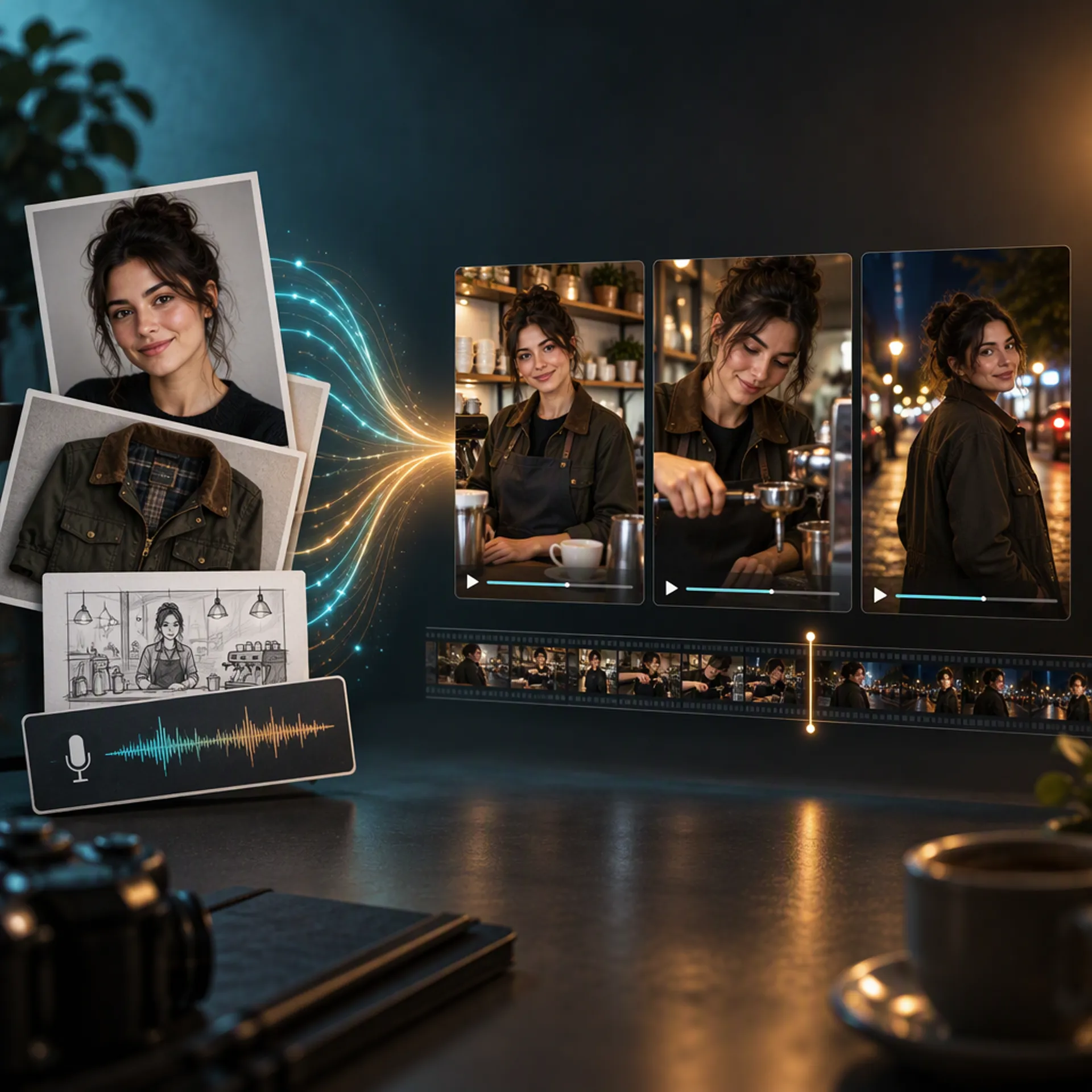
Reference-to-video takes references and treats them as identity, not composition. You upload the face, the wardrobe, the product from two angles, maybe a voice take, and the model keeps who and what fixed while your prompt freely changes where and how. Same person, new scene, take after take. That is the mode for anything serialized: recurring characters, product-ad variants, multi-shot scenes that have to cut together.
Three questions that decide your mode
- Does the subject have to appear in more than one clip? If no, use T2V and save the setup time. If yes, keep reading.
- Do you have one finished frame that must move exactly as-is? Then I2V — the still owns the composition, and no reference mode will match it that precisely.
- Is the subject fixed but the scenes not? That is R2V. One reference sheet, unlimited settings.
Most people searching "reference video" or "ref2v" are at question three. The mistake that wastes the most credits is answering question two when the real question was three: you animate a single approved still in I2V, then discover you need the same face from a different angle, and the still gives you no way to ask for it.
Which engine, once you are in R2V
On Moosky the three R2V engines split by job, and the step-by-step MiniMax H3 Ref2V workflow walks through the first one in detail:
MiniMax H3 Ref2V is the dialogue pick. Attach up to 9 images, 3 video clips, and 3 audio files (12 files total), and it performs a lip-synced scene with synchronized stereo sound in the same pass, in 11 languages. Clips run 4–15 seconds at 768P or 2K. If your shot has a person talking to camera, this is where it starts.
Wan 3.0 R2V is the default for character-consistent action. It takes the most references (10 images, 5 videos, 5 audio), runs up to 1080P and 30 seconds, and handles longer, more kinetic scenes than H3's window allows. The official demos lean on multi-character dialogue and prop consistency.
Seedance 2.0 R2V is the premium pick for heavy motion — complex camera work and fast action — at 480p–1080p (4K on the standard model), 4–15 seconds. It carries the strictest photoreal-human policy rejections, so keep a non-photoreal fallback in mind.
All three run on the same credit balance, so the engine choice costs nothing to revisit between shots.
What each mode costs before you press generate
Moosky bills 100 credits per $1, no subscription, and the composer quotes the exact cost of your job before you run it. The billing dimensions differ enough that mode choice is partly a budget choice:
- T2V bills on output length and resolution only. The floor for drafts.
- I2V bills the same way; the input still is free on every engine (it is one image).
- R2V adds input material to the bill. On H3 Ref2V the first 5 input images are free and each extra is billed; input video bills per second at your output resolution ($0.08/s of reference video at 768P, $0.13/s at 2K, as priced by MiniMax and shown in the composer quote). Output at 768P runs about 10 credits per second of clip — a 5-second take is roughly 50 credits, about fifty cents.
Two habits keep R2V cheap: reuse one reference sheet instead of re-curating files per shot, and draft at 768P before committing a final render at 2K.
When comparing tools, buy the quote, not the demo
Vendor demos all look consistent — they show their best reference sheet. Before you commit spend to any R2V product, check the purchase mechanics: does it show an exact cost per clip before you generate (Moosky does, in the composer), does it bill input images and reference video beyond a free allowance, does identity hold across separate generations or only inside one clip, and is there a no-subscription option so you can price-test a character before scaling it. On the reference-to-video hub the three engines share one credit balance and one wallet, which makes the side-by-side test cheap: generate your reference sheet once and run the same scene on all three for a few dollars.
Frequently asked questions
Is reference-to-video more expensive than text-to-video? Slightly, at the same length and resolution, because R2V engines bill input material beyond the free image allowance and longer reference video adds up. In practice R2V often comes out cheaper per usable clip: T2V's zero-consistency output means re-rolling until the subject is right, and every re-roll is a full clip's cost.
Can I start a project in text-to-video and switch the same character to reference mode later? Yes, and it is a common path: generate a character you like in a text-to-image or T2V pass, save the best frame as your face reference, and continue the project in R2V. The reference sheet does not have to be photographed — digital characters carry identity just as well.
Should beginners just use image-to-video instead of learning references? Only if every shot you need is one specific still brought to life. The moment you need the same subject in a second, different scene, I2V hits its wall — it can only continue from the frame it was given. R2V's reference-sheet setup is a few minutes once and saves dozens of failed generations after that.
Does R2V work for products, or only faces? Products are where it pays back fastest. A bottle, a sneaker, or a packaging mockup from two or three angles as references survives background swaps and lighting changes better than most faces survive prompt drift, because products have no expressions for the model to get wrong. Teams routinely produce a dozen ad variants from a handful of product photos.
How do I know which engine to pick without trying all three? Use the job: dialogue and lip-sync to MiniMax H3 Ref2V, longer or multi-character consistency to Wan 3.0 R2V, heavy camera motion to Seedance 2.0 R2V. If none obviously fits, Wan 3.0 is the default — it is Moosky's first-choice R2V composer for most reference jobs.
Create with Moosky AI
Turn ideas into finished productions
Access leading AI models and production workflows from one workspace.
Try Moosky AIComments
Comments are reviewed before they appear publicly.
Join the discussion — sign in or create an account to leave a comment.
No approved comments yet. Start the conversation.