MiniMax H3 AI Video Generator
MiniMax H3 AI Video Generator with Native Stereo Audio
H3 ships the soundtrack with the shot: write the scene, anchor it with one still or clip, and get a 4–15 second video with lip-synced stereo dialogue at 768P or 2K. Built for talking heads, UGC-style ads, and host-driven explainers. Pay per clip with Moosky credits — no subscription.
Model Overview
MiniMax H3
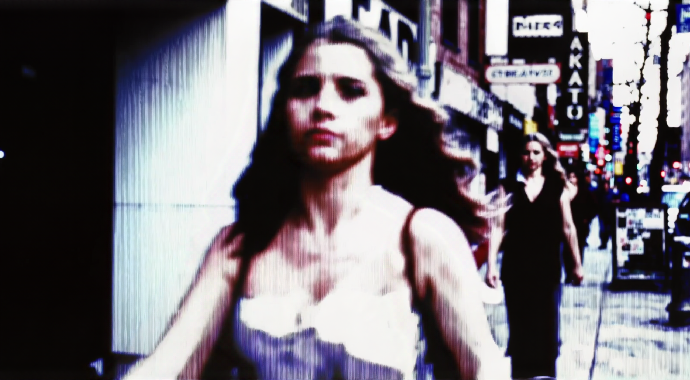
MiniMax H3 generates the picture and its soundtrack together: every clip ships with synchronized native stereo audio — lip-synced dialogue, room ambience, and music cues — out of one render pass, with no dubbing or text-to-speech round trip. On Moosky it is the pick whenever a clip has to sound as finished as it looks.
The details
Direction stays in the prompt. Name who is in frame, the exact line they deliver, the camera move, and the mood, then anchor the render with one opening still or motion clip. Dialogue holds lip-sync across 11 languages, so a single script regenerates market by market instead of re-recording presenters.
That makes H3 the workhorse for UGC-style ads, talking heads, and host-driven explainers at 4–15 seconds, 768P or 2K, landscape or portrait — billed per clip in credits at 100 credits to the dollar, with the exact quote shown before you run. For identity-locked multi-take scenes from a reference sheet, the sibling MiniMax H3 Ref2V page covers that workflow file by file.
Workflow Detail
Direct the shot in the prompt; anchor it with one file.
H3 generates best when the prompt carries the full brief—scene, blocking, dialogue, camera, soundscape—and a single opening image or clip grounds the first frame. Attach more references only when identity has to survive between takes.
Brief the scene
Describe who is in frame, the line they deliver, the camera move, ambience, and score—labels for any attached files follow the order you add them.
Anchor the render
Add an opening still or motion clip so the model has a first frame; add extra image, video, or voice references only when you need them. Audio always needs at least one visual file.
Pick length and resolution
Choose 4–15 seconds and 768P or 2K in landscape or portrait before generating.
Why use it on Moosky AI?
Model-specific controls with no subscription, clean outputs, and a workflow built for fast creative iteration.
Omni multimodal references
Guide identity, style, motion, and voice with up to 9 images, 3 video clips, and 3 standalone audio references in one job.
Native stereo audio
H3 generates synchronized stereo sound with the video—dialogue, ambience, and score—not a separate dubbing step.
Character consistency
Strong default for dialogue, talking heads, and reference-sheet-guided scenes where subjects need to stay recognizable.
768P and 2K
Choose economical 768P for iteration or 2K (short edge 1440) when delivery quality matters.
Multilingual dialogue
Stable support for Arabic, Chinese, English, French, German, Italian, Japanese, Korean, Portuguese, Russian, and Spanish.
Budget-friendly clips
Moosky's default first-choice H3 composer for economical prompt-driven production with credit-based pricing.
Portrait or landscape
Generate 16:9 or 9:16 clips that match social, cinematic, or vertical delivery formats.
Commercial workflows
Use outputs in professional projects subject to Moosky and MiniMax provider terms.
How it works
Go from a written shot brief to a stereo video clip in a short guided flow.
1. Write the shot
Brief the scene in the prompt—shots, camera moves, dialogue, ambience, and music—with labels matching any attachments.
2. Anchor it
Add an opening image or motion clip for the first frame; attach extra video or audio references only when identity or voice must carry.
3. Generate and download
Render a 4–15 second stereo clip at 768P or 2K and review it in your queue.
Credit-based
Simple, honest pricing
MiniMax H3 clips are billed in credits (100 credits per $1) based on output duration and resolution (768P vs 2K), plus input materials — the first 5 images are free, additional images and reference video duration are billed. The composer quotes the exact credit cost of your clip before you run, failed generations refund automatically, and unused credits never expire.

More from Moosky AI
Explore our full suite of AI tools.
Frequently Asked Questions
What is MiniMax H3?
MiniMax H3 is an omni-modal video model that understands text, images, video, and audio in one context and generates clips with synchronized native stereo sound in a single pass. On Moosky it runs as a prompt-led composer: you direct the shot in the prompt and attach an opening still or clip (plus optional reference files) to anchor it.
Can MiniMax H3 generate video from text alone?
The workflow is prompt-led, but H3 always needs at least one visual input—an opening image or a motion clip—to ground the render. The prompt carries the creative direction (scene, dialogue, camera, sound), while one anchor file gives the model its first frame. If you are starting from pure text, generate a keyframe with an image model first and paste it into the composer.
Does MiniMax H3 generate audio with the video?
Yes. H3 produces native stereo audio jointly with the video—dialogue, ambience, and non-diegetic music cues can be directed in the prompt, in the same render pass. There is no separate dubbing or text-to-speech step for talking clips.
How many reference files can I attach?
Up to 9 reference images, 3 reference videos, and 3 standalone audio clips, with a maximum of 12 files total. Each video or audio clip should be 2–15 seconds, and total video or audio duration should stay within 15 seconds. Standalone reference audio must accompany at least one image or video.
Which languages does MiniMax H3 dialogue support?
H3 holds stable lip-synced speech across 11 languages: Arabic, Chinese, English, French, German, Italian, Japanese, Korean, Portuguese, Russian, and Spanish—so the same script can be regenerated market by market without re-recording.
What resolutions and durations are supported?
On Moosky, MiniMax H3 supports 4–15 second outputs at 768P or 2K in landscape (16:9) or portrait (9:16), at 24 FPS.
When should I use the dedicated MiniMax H3 Ref2V page instead?
This page covers prompt-led generation with the model's own direction. When the same person or product has to stay identical across multiple takes from a reference sheet, the sibling page walks through H3's reference-to-audio-video (Ref2VA) mode file by file.
When should I choose MiniMax H3 over Seedance or Wan?
Choose MiniMax H3 for dialogue, talking heads, UGC-style to-camera delivery, and economical 4–15 second clips with native audio. Escalate to a premium video model when heavy kinetic action or complex motion fidelity dominates the shot.
Can MiniMax H3 make talking-head and UGC-style videos?
Yes — that is H3's home turf. Brief the presenter in the prompt: who is in frame, the exact line they deliver, the setting, and the camera. H3 renders the clip with lip-synced stereo speech, so host-driven ads, product explainers, and creator-style UGC come out ready to post in one pass, across 11 languages.
Can MiniMax H3 turn audio into video?
H3 reads audio as a reference — a voice take can carry delivery and tone — but a standalone audio file cannot be the only input: it must accompany at least one image or motion clip that grounds the first frame. Upload your voice track with an opening still, and H3 lip-syncs the performance to it in the same render pass.
How are MiniMax H3 clips billed on Moosky?
In credits, at 100 credits per dollar, scaling with clip length (4–15 seconds) and resolution (768P or 2K); the first 5 input images are free and extra images or reference-video duration are billed. The composer shows the exact quote before you submit, failed runs are refunded automatically, and unused credits never expire — there is no subscription.
Do I need a subscription?
No. Moosky AI uses credit-based pricing, so you can buy credits when you need them. The composer quotes the exact credit cost of your clip before you generate, and failed runs are refunded.