MiniMax H3 Motion Transfer
MiniMax H3 Motion Transfer:
Movement In.
New Scene Out.
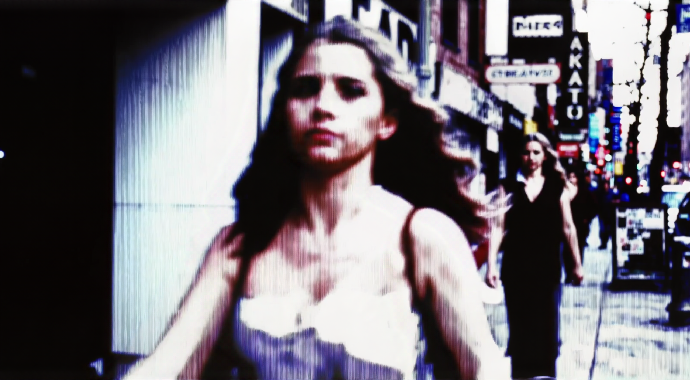
Motion transfer on MiniMax H3: upload a short clip as Video 1 and H3 carries its movement, pacing, and camera language into a brand-new scene, with native stereo audio in the same pass. Pay per clip in credits, no subscription.
Model Options
Choose the workflow that fits your scene
Start with a prompt, add references when needed, and pick the generation path that matches the output.
MiniMax H3 (Ref2V motion lane)
The H3 reference-to-audio-video composer run as a motion-transfer machine: your 2-15 second clip as Video 1 carries the movement, pacing, and camera feel, the image references carry identity and style, and the prompt writes the brand-new scene around it — with the stereo soundtrack rendered in the same pass.
Other reference-to-video engines
Motion transfer is one of many reference roles across Moosky's R2V lineup. When a shot needs a long single take with heavier camera language, the Wan lane fits better; the hub lines up the whole roster side by side on one credit balance.
Why use it on Moosky AI
Powerful tools. Seamless experience.
Movement lifted from a clip
Upload the motion you want as Video 1 — the walk, the handheld follow, the fight beat — and H3 carries its pacing and framing into the scene you describe.
Native stereo audio in the pass
H3 renders dialogue, ambience, and score with the picture in the same pass. No dubbing step, no text-to-speech round trip, even when the movement comes from a reference.
Role labels are the controls
Order the files and name their jobs — Image 1 the face, Video 1 the move, Audio 1 the voice — and a bad take maps to one file swap, not a rewritten paragraph.
Cheap drafts, hero finals
Iterate the transfer at 768P (about 10 credits per output second), then rerun the winner at 2K (about 18) when the shot goes final. The composer quotes the cost first.
Identity that survives the movement
H3's reference sheet holds the face, outfit, and prop across the transferred motion, so the character stays cast through the new scene's turns and camera moves.
One credit balance, per clip
Motion transfer bills like every other H3 job: credits (100 per $1) from output length and resolution plus reference-video seconds, with failed runs refunded.
How It Works
Three simple steps to finished output
Load the motion reference
Attach the 2-15 second clip whose movement you want as your first video, plus the face, wardrobe, and style stills. Total reference-video seconds stay under 15.
Label roles, direct the shot
Prompt the new scene — setting, blocking, dialogue, camera verb plus speed — and cite each file by label so Video 1 is unambiguously the move.
Render and refine cheaply
Draft at 768P and check that the movement reads, then escalate the winner to 2K. A near-miss delta-edits from the approved clip instead of re-rendering everything.
Why transfer the movement instead of describing it
Describing motion in text is a coin toss. Ask for a spin into a flare and you get whatever the model invents, different on every re-roll. H3's reference slots replace the guesswork: upload a short clip of the actual movement as Video 1 — a walk, a steadicam push, a fight beat — and the render carries that clip's pacing, amplitude, and camera feel into the new scene. The prompt writes the setting, blocking, and dialogue; the reference file writes the choreography.
The file economy is what makes the lane practical. Each upload takes its role from your labels — Image 1 the face, Video 1 the move, Audio 1 the voice — so when the transfer reads wrong you swap one file instead of rewriting a paragraph of modifiers. Short drafts at 768P keep that loop cheap enough to rough a whole sequence before committing a hero shot to 2K.
And because H3 generates a native stereo track with the picture, the transferred clip ships with lip-synced dialogue, ambience, and score cues in the same pass — no dubbing, no separate voice engine. When delivery matters as much as the move, that pairing is why the lane exists.
Credit-based
Simple, honest pricing
Motion-transfer clips bill in credits (100 per $1): about 10 credits per output second at 768P, about 18 at 2K, and every second of your reference video bills at the output resolution you pick. The composer quotes the exact cost before you run, and failed generations refund automatically.
More from Moosky AI
Explore our complete suite of AI tools.
Frequently Asked Questions
What is MiniMax H3 motion transfer?
It is the reference-video workflow: upload a short clip as a Video reference and H3 carries that clip's movement, pacing, and camera feel into a brand-new scene, so you show the action instead of describing it in adjectives. On Moosky it runs in the H3 Ref2V composer, which fills its slots from up to 9 images, 3 videos, and 3 audio files, and renders the clip with its native stereo soundtrack in one pass.
What makes a good motion reference clip?
One continuous shot of the exact movement at the speed you want — a walk, a handheld follow, a product turn — running 2-15 seconds, with total reference-video seconds under 15. Trim to the move itself: dead frames dilute the transfer, and every input-video second bills at your chosen output resolution.
Can I transfer motion and keep my own character?
Yes — that is the point of the reference sheet. Face and wardrobe stills carry the identity, the video reference carries the movement, and your labels assign the roles: Image 1 is the face, Video 1 is the move. H3 re-performs your subject doing that motion in the new scene you describe.
Does motion transfer keep the audio from my reference clip?
No — H3 generates a fresh synchronized stereo track (dialogue, ambience, score cues) rather than copying the reference clip's sound. Standalone voice takes are a separate lane: attach audio files as Audio references and the performed line keeps that timbre, in any of the model's 11 dialogue languages.
When should I use H3 for motion instead of a long-take model?
H3 pairs the reference-kit workflow with the family's strongest voice lane: lip-synced stereo dialogue across 11 languages inside clips of 4-15 seconds at up to 2K. When a single take needs to run longer with heavier camera language, the comparison page shows when to switch engines — and one credit balance runs either.
How much does an H3 motion-transfer clip cost?
Credits (100 per $1): about 10 per output second at 768P and about 18 at 2K, plus your input-video seconds billed at the chosen output resolution and any images beyond the first five. The composer quotes the exact total for your bundle before anything runs, and failed generations refund automatically.
What resolutions and lengths does H3 output?
4-15 second clips at 768P or 2K, landscape (16:9) or portrait (9:16), at 24 FPS. Short 768P passes are the fast lane for dialing a motion reference in; escalate the take that reads best to 2K when you need the hero file.
Can I fix one thing in a transferred clip without re-rendering?
Yes — attach the approved clip as Video 1 and prompt only the change (same scene, same delivery, one detail altered). The performance and the transferred movement carry, and you pay for seconds of output instead of a full new render. Restart from the sheet only when the scene concept itself was wrong.
How is this page different from the Ref2V workflow guide?
This page is the tool lane: it sells the motion-transfer mode and deep-links the composer so you can run it. The sibling guide teaches the whole Ref2V pipeline step by step — reference sheets, labeling, camera vocabulary, tuning, and delta edits. Read the guide, then run the movement here.
Disclosure
Moosky AI is an independent platform provider and reseller of AI model access, including access to MiniMax H3. Moosky AI is not officially affiliated with, sponsored by, or endorsed by MiniMax. This page and its examples may include AI-assisted and synthetic content.